Character Design Studio
Reviews
Description
Game Introduction
Character Design Studio is a creative online game where you can design your own unique characters. The game gives you the tools to change every part of your character, from the face and ears to the body, hands, eyes, and colors. You can also adjust their look or pick out their clothes. Once you are done, you can see your character come to life with animations, or use the randomizer for a surprise creation. Then, you can test your character in Quest Mode or Surprise Mode to watch them perform fun actions. It is a safe, family-friendly adventure that sparks imagination and offers hours of entertainment. Start now and discover the joy of building your own unique characters!
How to Play
Players use their mouse to click through the menus and customize their character. Start by selecting the face, then move on to ears, body, hands, eyes, colors, and more. Change the look or clothing to make your character truly unique. After designing, you can choose to animate your character or use the randomizer for a fun twist. Finally, enter Quest Mode or Surprise Mode to see your character perform playful actions. The controls are easy to learn and perfect for all ages.
Game Features
Character Design Studio includes creative character design with many customizable parts, a randomizer for surprises, two gameplay modes for extra fun, and a family-friendly environment. The game encourages creativity and provides a safe space for kids and fans to express themselves.
Tips for Success
Experiment with different combinations of parts and colors to discover unique looks. Try the randomizer when you are stuck for ideas—it can spark new inspiration. Use both Quest Mode and Surprise Mode to see how your character behaves in different scenarios. Do not be afraid to start over and try a completely different design. The more you practice, the more creative your characters will become.
Compatibility
Faq
Other Similar Games
Homekeeping: A Quiet Mystery
A beautifully crafted pixel-art visual novel with a gripping mystery and emotional depth.
Character Design Studio
A fun and creative character design game with lots of customization options. Great for sparking imagination.

Wedding Stylist Fashion Game
A charming wedding dress up game with creative styling and budget management. Perfect for fashion lovers.
Spring Doll Styling Game
A delightful dress up game that sparks creativity in young fashion lovers with simple controls and cheerful spring themes.
Swift Style Fashion Dress-Up Game
A creative and relaxing dress-up game with fun themes and easy controls. Great for all ages.
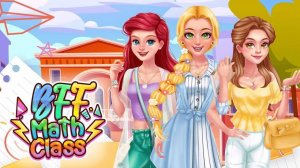
Fashion Math Puzzle
A charming blend of dress-up fun and simple math puzzles. Perfect for kids who love fashion and learning.